Showing posts with label Window Tools. Show all posts

Saturday, October 5, 2013

Xplorer2 Lite – Windows Explorer Replacement


Windows Explorer was designed as a way to navigate and manage computer files more easily. However, as the number of files and directories (or folders, if you prefer) on the average user’s computer disk has blown up so fast that it’s insulting to call it "exponentially", Windows Explorer has fallen way behind.
Microsoft’s original strategy was to try and corral all user files in a single "My Documents" folder. These days only the most basic level of computer users stick to the My Documents, My Music, My Pictures model as first envisioned.
In fact, the paradigm was conceived to appeal to the lowest common denominator of users in a bid to be considered more "usable."  Windows Vista partially abandoned the model by dropping the either obvious, or inaccurate, "My" from the structure (one wonders whose files they were otherwise?).
This file paradigm partially explains the out-of-date file explorer that comes installed by default with Windows.  In a world where the only things a user does with their computer is edit MS Office documents, download pictures from their camera, and put some music files on their computer for fun — the default Windows Explorer is just fine for sorting, organizing, and finding files.
In the real world, where users have not just music files, but maybe 18 kinds of music files, something better is called for.

Xplorer2 Lite – Windows Explorer Replacement

Xplorer2-screenshot
Xplorer2 Lite is free for home users and students, and has pretty much any feature that most computer users would need.  There is a Pro version of Xplorer2 as well which adds numerous bells and whistles.
The key to most all Windows Explorer replacements is an extra pane.  When Windows Explorer was first conceived, 640 x 480 was the most common monitor resolution; gigabyte hard drives were the stuff of the future.
Under these conditions, a three pane file utility wouldn’t have been very usable. However, with the move to 800 x 600 and then to 1024 x 768 and higher, plus computers commonly equipped with two or more multiple gigabyte hard drives, three panes became not only possible, but commonsensical.

Increased Usability

The great thing about Xplorer2 is that you already know how to use it.  There are the same list, thumbnails, icon, details, choices.  Clicking, double-clicking, and right-clicking all work the same.  It works just like Windows Explorer except that it has one more pane, and that makes all the difference.
In the default explorer, moving some of your picture files from a subfolder to a parent folder or to a specific folder on another drive involves repeatedly cutting or copying your files then navigating to the new home and pasting your file selections.  This limitation would probably just be something to get over except that for a lot of file operations, one isn’t always exactly sure just where the destination will be, or what it is currently called, or how it should look.
For example, consider a user who has lots of family photos on their computer.  The user has the original files all downloaded into one folder, but there is a subfolder for each year.  Inside of each year, there is another folder that corresponds to the date the picture was taken.  (This is the default in many image programs including Adobe Photoshop and Adobe Lightroom.)  For some, but not all pictures, there is an edited version that has been made smaller for better emailing. 
Now, suppose the user wanted to restructure how some of the older files were stored because they were going to store those files offline.  However, there were some files the user wanted to leave on the hard disk under two different sets of folders for certain projects.  Can you imagine the back and forth nightmare inside of the default Windows Explorer?
With Xplorer2, the user simply would set one pane each to the destination folders, and the other to the source folders.  Then, simple dragging and dropping allows the user to manipulate the files or folders to new locations and subfolders even if it was necessary to navigate into and out of subfolders to check and see where the final location would be. 
Thanks to the three panes, all of this can be accomplished without a single cut, copy, or past operation.
Oh, and by the way, there is no need to refresh to see new files or to get them to re-sort.  Xplorer2 dynamically updates the file lists.

Even More Features

Xplorer2 offers much functionality past the basic moving and sorting of files.  Features include the ability to do mass renames of several files, "shredding" files so that they cannot be recovered, advanced methods to select files including a "sticky" selection that keeps files selected even if you click on other things, and so on.
One of the best features is the ability to bookmark folders that you frequently access instead of always having to navigate there. Instead of having to choose a single default and then navigate everywhere else, with Xplorer2 Lite you can bookmark not only your main photo folder, but also the 2009 folder since that’s the one you use most.
Several bookmarks are possible making it easy to bookmark say, your personal documents, your work documents, your freelance documents, and your wife’s documents, all for quick easy access every time.
In fact, there are so many features in the free version of Xplorer2 that most users will never touch them all.  However, this does not increase the complexity of the program since they are all stored unobtrusively under menu options by default.
There is plenty of customization available to make sure that the features you do use can be made more accessible.
Try Xplorer2, it’s free and once you’ve used it for a few days, you’ll never consider going back. Let me know how you like it!
image

Monday, May 13, 2013

Stardock Start8 1.03 For Windows 8 Full + crack full version download By Muhammad Saleem


Microsoft Windows 8 is shipped without the "Start" menu. Stardock heard the cries from Windows 8 users. We put the "Start" menu back in Windows 8. We accurately recreated the most used desktop feature billions of users depend on every day and packed it with additional functionality.


Changes in Start8 v1.03

  • Added typing "C:" in the start menu will launch Explorer to that location.
  • Fixed backspace on empty search box causing the search screen to show blank
  • Fixed non 100% dpi settings causing the start menu to appear too large
  • Fixed Metro apps icons not scaling with higher dpi
  • Fixed occasional corruption of All Programs tree icons on some machines
  • Fixed timing issue sometimes causing explorer to restart if you rapidly clicked the start button.

Tuesday, March 5, 2013

Unlocker 1.91 By Muhammad Saleem

If you've ever been unable to delete a file in Windows, and can't figure out what program's using it, Unlocker is the solution. Have you ever seen these Windows error messages?
  • Cannot delete folder: It is being used by another person or program
  • Cannot delete file: Access is denied
  • There has been a sharing violation.
  • The source or destination file may be in use.
  • The file is in use by another program or user.
  • Make sure the disk is not full or write-protected and that the file is not currently in use.


Picture

Monday, January 28, 2013

Window 8 Activator All Versions By Muhammad Saleem

Picture

Saturday, January 19, 2013

RAR Password Unlocker 4.2.0 + Reg By Muhammad Saleem


RAR Password Unlocker is proved to be a helpful tool when you forgot WinRAR/RAR password and cannot open the RAR archives. It can remove RAR password at high speed via 3 attack options: Brute-force, Brute-force with user-defined Mask and Dictionary. By using advanced search algorithm, multiple-core CPUs etc, this RAR password recovery tool enables you enjoy faster recovery speed than other similar programs.

Key Features:

* Powerful Recovery Ability


Recover forgotten passwords from RAR archives encrypted by WinRAR 4.01 and its previous versions, no matter whether you encrypted file names or not.

* High Password Recovery Speed

- Recover forgotten RAR password at high speed, regardless of your encrypted RAR archive size.
- Support multi-core CPUs and SSE to accelerate password recovery process significantly. In the case of  multi-core CPU, the more CPU cores you have, the faster recovery speed you will enjoy.
- Program Priority is available to allocate more CPU power to RAR Password Unlocker and speed up the recovery speed efficiently.

* Three Efficient Recovery Options

- Brute-force Attack - Try all possible password combinations when you have no idea about it.
- Brute-force Attack with Mask - Greatly reduce the recovery time by specifying the forgotten password length, character set, etc. (High Recommended)
- Dictionary Attack – Recover lost RAR password by trying the password combinations in the built-in dictionary as a password. Self-created dictionary is also supported.

* Auto-save Recovery State

Automatically save the recovery state every 15 minutes by default so that you can resume the RAR password recovery process after the former interruption or stop. And the auto-save time interval can be changed as you wish.

* Extremely Easy and Safe Operation

With easy and intuitive interface, this enhanced RAR password recovery program allows you to easily and safely recover RAR password in 3 simple steps. No computer skills required and no any loss or damage to your RAR file. Moreover, it can automatically shut down your computer after recovery.


SCREENSHOTS:


BEFORE:


AFTER:

Saturday, October 27, 2012

Window Costmizing By saleemsoftzone

Friday, October 5, 2012

Windoz 7Geniune Maker


Window Xp Geniune edition


Tuesday, July 31, 2012

Themes Collection for Xp


Themes Collection for Windows XP | Good morning all visitors MyBlog, after yesterday I've shared Over 60 Themes for Windows 7, while there visitors who request my share now. This time I will share some themes Windows XP is fairly cool and you should try it on your computer of all. This theme is also fairly long, but what's wrong with me share for those who do not know and do not have. No strings attached just check again.
 
This little tool is actually a way to change some elements of the Windows XP GUI, Such as the taskbar, the title bar and the start menu. It looks a lot like the one in Media Center 2005, but It could end up with some great results.

Installation is just a matter of clicks and this is actually the only "interface" of the app, as our test Basically CAME down to pressing next until all the files have been copied on our computer.

Afterwards, we had to access the "Display Properties" menu and its "Appearance Tab" and just select the Media Center style and the Royal color scheme.

The ace up its sleeve is that? Royale Theme comes as a stand-alone add-on, so you will not have to install other software solutions to change the look of your operating system.

 
In plain English, that means a minimal footprint on computer resources, ESPECIALLY when thinking That most software solutions designed to modify Windows' look and feel may slow down Sometimes the operating system.

Another good thing is that? It does not modify any system files, so you're on the safe side all the time. On the other hand, you will not be Able to remove the theme automatically, so in case you wish to get rid of all the files, you will have to do it manually.

But overall, Royale Theme is a nice and easy to use theme That is worth your time and surely deserves a chance. At least, it's freeware and easy to install.

Generally, I do not think and search for Windows XP related themes and applications since I have been using Windows 7 and Vista for some time now. But recently, I CAME across a theme for XP, the which exactly matches with the Windows 7 theme (see screenshot below).

You will get a close look for your Windows 7 XP with this brilliant theme. Ernasco from deviantart has created this beautiful theme. The taskbar may look small compared to Windows 7's Superbar, but it looks really good with the small icons.

If you have not installed Windows 7 Beta (Build 7000), this theme will give an exact Windows 7 look for your Windows XP. However, note That you need to install WindowBlinds software to use this brilliant theme on XP. You can download the trial version of WindowBlinds from the below link. 

HOW TO INSTALL:

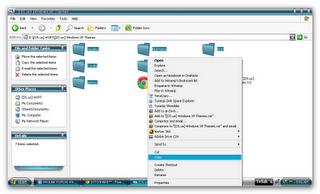
1. File a copy of which was extracted as follows:

 
2. Paste the file is copied to the C -> WINDOWS-> resources-> themes

 
3. Open the folder one who has been in the last copy and paste the file designated 2x click the arrow, for example as shown below:

 
4. Click apply and ok

 
5. Completed and the results are as shown above:
 
To dekstopnya maybe there's just a black screen, change the desktop image according to your taste.

Password : www.dytoshare.us

Shine Skin Pack 1.0 For Windows 7 Full Version


Kumpulan Software Gratis | Shine Skin Pack 1.0 For Windows 7 Full Version | Shine Skin Pack 1.0 Windows 7 is a theme that allows you to automatically change the default Windows 7 interface. Shine Like its name, which means cleaner, this theme is undeniably clean, so no adverse effects are very disturbing to see that Windows 7 User Friendly, for 64bit users, may be more likely to feel clean theme, because it looks in the eyes will feel very comfortable.
 
Skin Packs have easy and safe installer install option, Please unistall old version of skin or other packs before install new version. Before installing close all runnig programs, restart your system after the finish.

 
support:
Windows 7, Windows 7 SP1 - [X86_X64] - [All Language] - [All Version]
For windows 7 starter and home basic first need to patch and unlock Aero effect from here
Programs & Creadits:

3.6 Resource Hacker by Angus Johnson
http://www.angusj.com/resourcehacker/

 
Moveex 1.0 by Alexander Frink
http://wwwthep.physik.uni-mainz.de/ ~ Frink / nt.html

Universal Theme Patcher 1.5.0.22 by deepxw
http://www.deepxw.blogspot.com

 
RocketDock 1.3.5 by PunkSoftware
http://www.punksoftware.com/

Theme by zainadeel
http://www.zainadeel.deviantart.com/

 
Wallpapers by Ythor
http://www.Ythor.deviantart.com/

Special thanks to:
www.winmatrix.com
 
 
How to Install:

Skin Pack Uninstall is already installed on your PC (if any)
Used to clean the cache with CCleaner
Create a System Restore to be in place perhaps Restore Error / Error When Installing.

Download Shine Skin Pack 1.0 For Windows 7 Offline Installer

Download Shine Skin Pack 1.0 For Windows 7 Online Installer
With Auto Fix bugs (Recommended)

Thursday, June 21, 2012

Tune Up 7.00.3 By Muhammad Saleem

Get started with optimizing your PC!
All features of TuneUp Utilities 2012
Your PC in Top Shape
Uncompromising performance, maximum battery life, a clutter-free PC experience and smart energy efficiency – that‘s exactly what you get with an all-new TuneUp Utilities 2012. Packed full with more than 30 tools, we guaranteed that your PC is in top shape!
It’s Windows® like you’ve never seen it before, all thanks to two truly unique technologies built into TuneUp Utilities 2012.
Our revamped Program Deactivator restores over 50% of speed and free space on bogged-down PCs, while TuneUp Economy Mode improves battery life by up to 30% and is nothing short of an energy-saving miracle.
And now it’s easier than ever to optimize your PC thanks to our fully redesigned Start Center.

TuneUp Utilities 2012 All Features  
  1. TuneUp Economy Mode
  2. TuneUp Program Deactivator
  3. Improve Performance and Battery Life
  4. Take Care of Your PC and Data Clutter
  5. Restore and Secure-Wipe Files
  6. Analyze and troubleshoot your PC
  7. Personalize Windows®
  8. TuneUp Economy Mode
  9. Turbo Mode
  10. TuneUp Live Optimization
  11. Disable startup programs
  12. Accelerate system startup and shutdown
  13. Defragment hard disk
  14. 1-Click-Maintenance & Automatic Maintenance
  15. Clean hard disk
  16. Uninstall unneeded programs
  17. Defragment, Clean and Edit the Registry
  18. Find and Delete Large Amounts of Data
  19. Remove Broken Shortcuts
  20. Restore deleted files
  21. Clean hard disk
  22. Delete files safely
  23. Show system information
  24. Status & recommendations (category)
  25. Optimization status
  26. Increase performance - recommendations
  27. Program rating
  28. Display and close running processes
  29. Detect and fix problems
  30. Check hard disk for errors
  31. Customize the appearance of Windows® (TuneUp Styler)
  32. Customize options and behaviors (TuneUp System Control)
  33. Start Center
  34. Overview of all functions
  35. TuneUp Utilities Settings Center
  36. Check for Updates
  37. Optimization Report
  38. More Great Features
                                 Picture

Tera Copy(For Fastest Copy)

TeraCopy from Code Sector is a free file-copying utility that offers more speed and security than Windows. It's a compact tool that can quickly copy or move single files or batches of files to any directory you select, but it does much more, such as automatically calculating CRC checksum values to speed up the validation process. It also skips bad files during the copying process, displaying them at the end of transfers so you can see just which ones need replacing or other attention.
TeraCopy's user interface is a pair of efficient dialogs, one an icon-based control panel that you use to add, copy, move, test, and delete files, and a second interface that pops up to do the work. After we installed TeraCopy, it opened with this second interface in
minimized mode, a tiny dialog with twin file directory fields--one for source files, the other for the target folder--that double as progress bars for file transfers. Clicking More expands the interface to a multifile view for batch operations and accesses the Clean Up, Verify, and Delete controls as well as a file menu button that includes Options; you can also access this interface from the Start Menu. A drop-down menu lists recent operations with time stamps for quick retrieval. Selecting TeraCopy on a file's properties menu calls up a different, icon-based navigation and control panel. We opened this interface and used the browsing tool to add a file to copy and create a destination folder, and then clicked Copy. The operation was successful but concluded so quickly that we had to open the target folder and check the file's properties to verify that anything happened at all. We also tried the Test feature in this view, which verified an ubuntu ISO disk image in about 2 seconds. You can even associate TeraCopy with .sfv and .md5 files in its options dialog or during installation
.
TeraCopy is a nifty piece of freeware that improves the copy/move function in Windows and adds useful extras like checksum calculation and permanent delete. We tried it in both Windows 7 and XP, and recommend it for all Windows users.