Showing posts with label Window 8 Costimizing. Show all posts

Monday, May 13, 2013

New simplex theme for Windows 8 By Muhammad Saleem

This is a really nice looking and have aero glass effect! 


 Download


You need to copy simplex theme in C:\Windows\Resources\Themes
For using this theme first you need to Patch Uxtheme.

Transform Windows 8 to Metro By Muhammad Saleem


Download :

8x64:Download

8x86:Download

Windows 8 – [X86_X64] – [All Language] – [All Version] 
Note : Skin Packs installer have easy and safe install option , Please unistall old or other version of skin packs before install new version. Before install close all runnig program , after finish restart your system.

Start Menu 8 for windows 8 By Muhammad Saleem

Start Menu 8 is specially designed for Windows 8. It offers a perfect solution for users who work with Windows Start Menu all the time and are not accustomed to the new Metro start screen in Windows 8. This smart tool brings back both the start button and Windows Start Menu, and offers the option to skip Metro start page, allowing users who only work on desktop to boot to Windows 8 desktop directly. It's the best start menu replacement for Windows8.

Bringing Back the Windows "Start" Menu

  • The Best Start Menu Replacement for Windows 8
  • Easily Switch between Metro and Desktop Interface
  • Faster Access to Programs and Files
  • Customizable, Easy, and FREE to Use


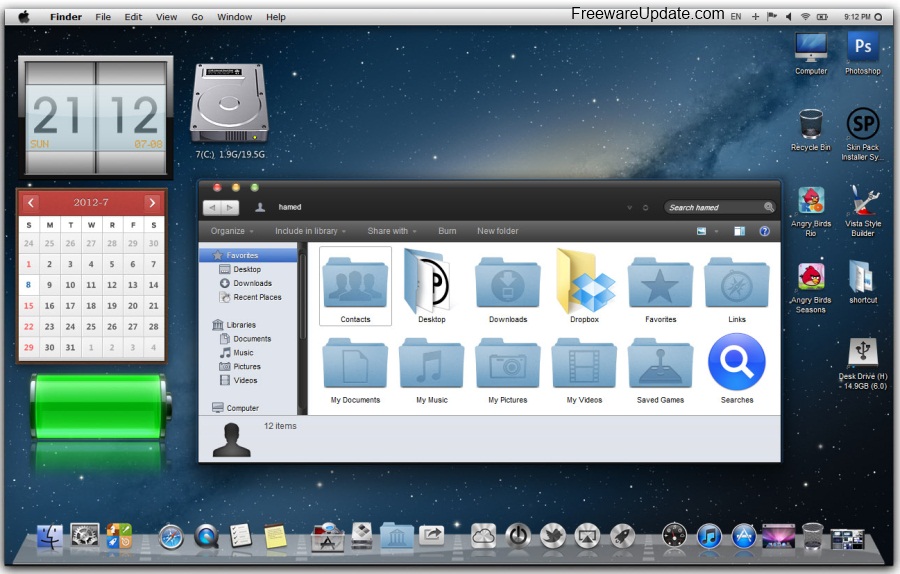
Mountain Lion Skin Pack By Muhammad Saleem


 Lion Skin Pack is a transformation skins . In this package, you'll have Mac OS X inspired themes and applications to make your system resembles Mac OS X as much as possible without modifying system files.

Some Features :

  • New Theme
  • New Wallpaper
  • New Brand
  • New Logo
  • New Start button
  • New Shell style
  • New Boot screen
  • New Installer
  • Add Mosaic
  • x64/x86 support
Screenshot:

Window 8 costmizing By Muhammad Saleem

Run Win8 Metro apps on desktop with free modernStart

Stardock released ModernMix that allows Windows 8 users to run the Modern (Metro) apps in a window on the desktop. But being upset with the fact that Stardock is charging for such a simple app, Villain came up with a free alternative to ModernMix.

WINDOWS 8 ONLY

use a hotkey keypress to resize the Windows 8 Start Screen to 800×600, aligned to the taskbar (standard bottom-left position)

How To Use:

READ THE TEXT ON THE FORM. Seriously, it is super-simple.
You can shrink (Control+Shift+K)
You can restore (Control+Shift+R)

NOTE:

The Start screen will stay this way until you log off, reboot, shutdown, etc… As I said before, working on a way to automate it.
Sizing Options now in place, for those that hate 800*600, have a low resolution, have a high resolution, whatever.